
Your own browser agent
HailBrowser does the clicking for you, inside the browser you already use — and it is the fastest browser use ever made. 26 of 26 tasks at a 4.2 second average. Ask in plain English: it opens the tab, reads the page, fills the form and tells you what it found. No new profile. No logging in again. Use it like Comet from the side panel, or plug the same browser into Claude Code, OpenCode, Cursor or Codex as a browser-use MCP server.
Install
Three steps.
Two minutes.
Version 0.1.0 · MIT · works in Chrome, Edge and Brave.
Download the folder
Use the button above, then unzip it somewhere you can find again. There is nothing to build and nothing to install system-wide.
Load it in Chrome
Open chrome://extensions, turn on Developer mode, click
Load unpacked and choose the extension folder inside the
unzipped folder.
Open the panel
Click the HailBrowser icon or press Alt+H. In Settings, add
the key for the model you use. Ollama and LM Studio need no key.
Prefer a terminal? The install guide has the
git clone commands, a verification step and troubleshooting.
Using a coding agent? Connecting it takes one config block, and the docs print it with your real path.
The proof
26 tasks.
4.2 seconds each.
It is the fastest browser use ever made, and the evidence is public. Ultrafast passed every task in our browser-use harness, three full runs in a row, at a 4.2-second average — with the harness, the per-task times and the model written down.
A local 26-page harness, run on one desktop machine with Mercury Decide for Fast and Mercury 2 for the Chat comparison. The benchmark page includes the method, the four live runs and what the numbers do not prove.
What it does
It works where
you already are.
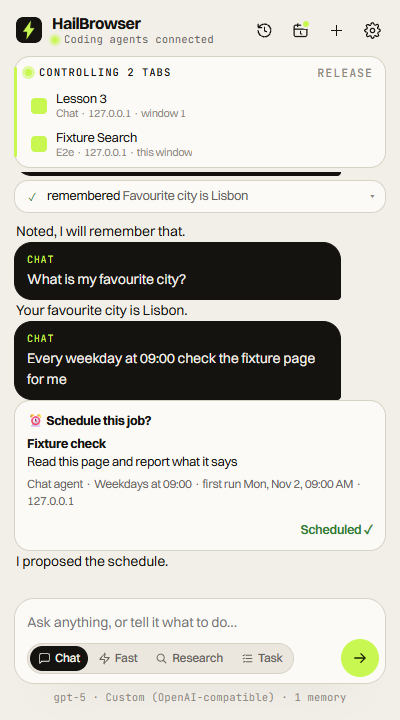
Most browser agents get a fresh, empty browser somewhere in the cloud. HailBrowser works in the one on your desk, with your tabs and your logins, and shows you everything it does.
- No second browser
- It uses the Chrome you are signed into. The sites you already use just work, without another login or a copied profile.
- Plain English in
- Ask from the side panel, or hand the job to Claude Code, Cursor or Codex. Give it the goal and the values, not a list of steps.
- Nothing hidden
- A driven tab gets a coloured border, a cursor that shows where it clicks, and a Stop button. Every step is listed in the panel.
- It says when it is stuck
- A field that rejected a value, a dialog in the way, a page that would not load: it reports the problem instead of pretending.
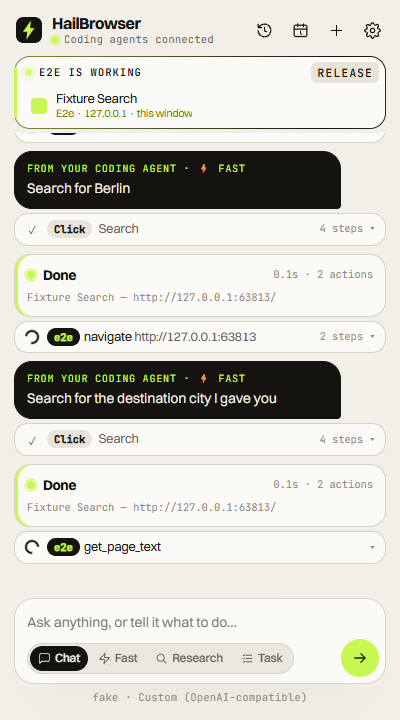
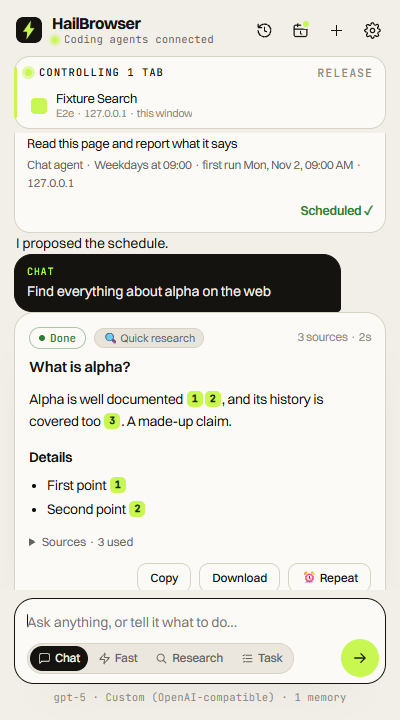
One chat box, the tab it is working in, and every step it took.
Things to ask it
Start with a job
you already do.
Each guide has a prompt you can paste, what the agent will do, and what to check afterwards. No invented benchmarks.
Let your coding agent use your browser
Claude Code, Cursor, Codex or OpenCode can read pages, click and fill forms in the tabs you are already signed into.
Get a report from pages that need your login
Ask a question. It opens the sources in your own browser, reads them and gives you an answer with numbered references.
Have a job done before you sit down
Check the portal, collect the invoices, watch the price. It runs on a schedule and tells you what changed.
Fill the long form without retyping it
Give it the values once. It finds the fields, types them in and tells you when a field rejected a value.
Two ways in
Use it, or
wire it up.
Most people want the first one: type a job, watch it happen. Developers want the second: their own agent, using this browser as a tool. Both are the same extension.
01 · Side panel · for everyone
Like Comet, in the Chrome you already use
Click the HailBrowser icon and ask in plain English. It opens the tab, reads the page, fills the form and writes the answer with sources. Chat, Fast, Research and Tasks, with every step listed and a Stop button.
Read the modes02 · MCP · for developers
Browser use MCP for Claude Code and OpenCode
HailBrowser runs a local MCP server with 18 browser tools on 127.0.0.1:12306.
That makes it browser use over MCP: add one config block and Claude Code, OpenCode, Cursor
or Codex drives the same signed-in browser while you work.
- Claude Code
- OpenCode
- Cursor
- Codex CLI
- Claude Desktop
- Gemini CLI